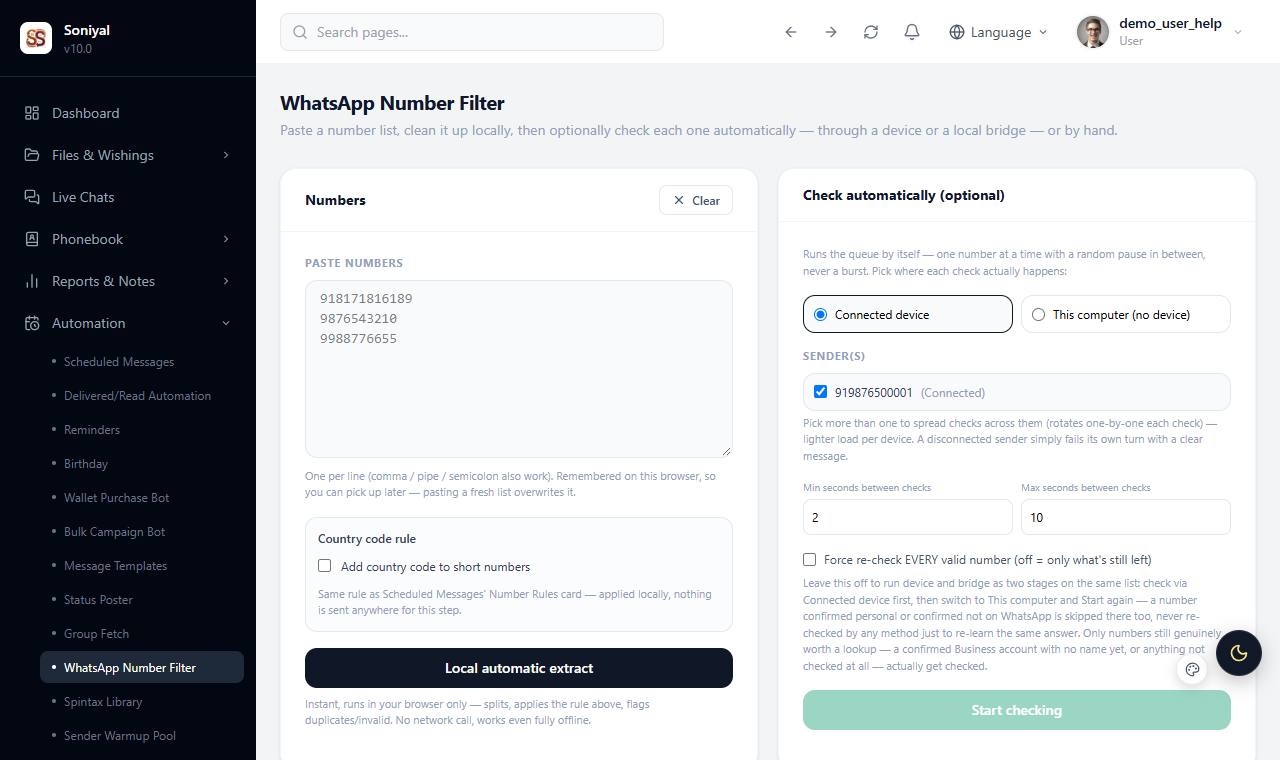
WhatsApp Number Filter: find which numbers are on WhatsApp
Check a list of numbers and keep only the ones that really have WhatsApp.
Contacts1 min readUpdated:
Sending to numbers without WhatsApp wastes time and can hurt your number’s health. The Number Filter checks a list and separates valid WhatsApp numbers from the rest.
When to use it
Before a big campaign to a purchased or old list.
Example
Of 1,000 old leads, 640 are on WhatsApp. Pooja imports only those 640 and avoids hundreds of failed messages.
Pro tips
Run the check in smaller batches for best results.
Keep the valid list and re-check it every few months.
Step by step
Open Number Filter
Go to Automation → WhatsApp Number Filter (available when your account has this feature).
Paste or upload numbers
Add the list with country codes.
Start the check
Run the filter and wait for the results.
Download the clean list
Export the valid numbers or save them to a phonebook.
Frequently asked questions
Is there a guide for the phone-based bridge?
Yes, the page links to a step-by-step Termux guide.