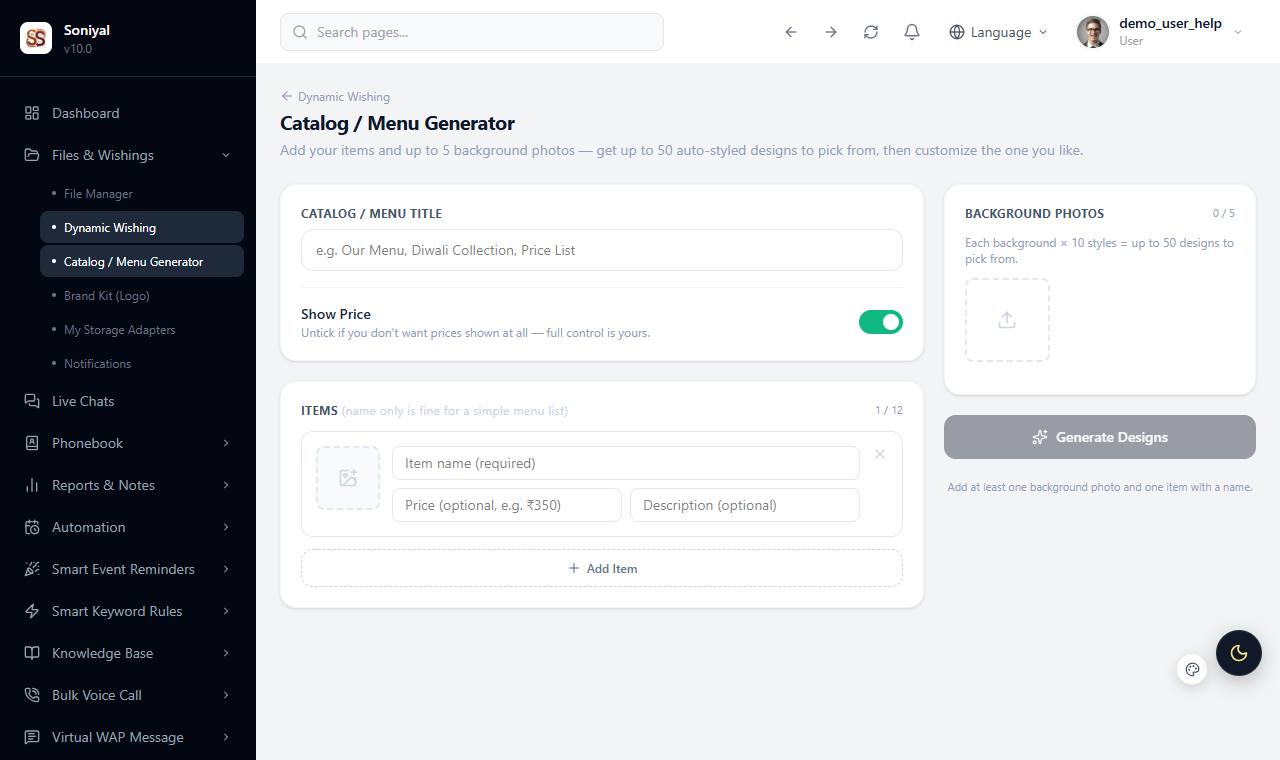
Turn your product list into a clean catalogue or menu image or PDF automatically.
Design & files1 min readUpdated:
Instead of designing every page by hand, add your items with names, prices and pictures and the generator lays out a ready catalogue or restaurant menu you can send on WhatsApp.
When to use it
Product price lists, restaurant menus, service rate cards.
Example
A cafe lists 24 items, picks the “Warm” layout and gets a 2-page menu to send to customers.
Pro tips
Use clear photos on a plain background.
Keep prices current — regenerate when they change.
Step by step
Open the generator
Go to Files & Wishings → Catalog / Menu Generator.
Add your items
Enter names, prices, descriptions and images.
Choose a layout
Pick a design and colours; add your logo from Brand Kit.
Generate
Create the catalogue pages.
Download or share
Save to File Manager or use it in campaigns.
Frequently asked questions
Can I edit a generated design?
Open it in Dynamic Wishing for fine adjustments.
Is there a limit on items?
The page shows what fits on a layout; add more pages if needed.