Search every message that was sent, export it and see how people voted in polls.
Send messages2 min readUpdated:
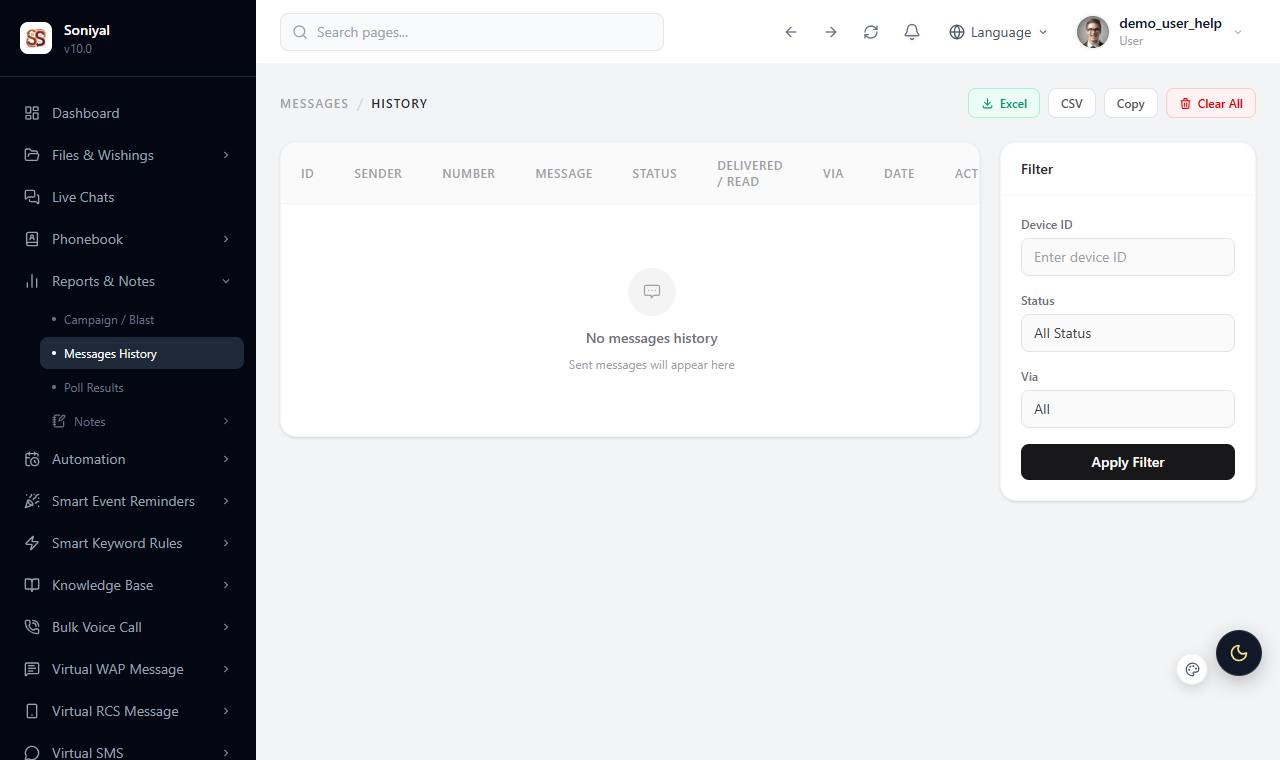
Messages History is the log of what your numbers sent. Use it to prove what was sent, find a particular message or export a period for your records. Poll Results shows the votes on every poll you sent.
When to use it
When a customer disputes a message, when you audit a day’s activity, or when you want to count poll answers.
Example
A shop sends a poll “Which colour do you prefer?” and uses Poll Results to see that 62% voted for blue.
Pro tips
Export before the cleanup period removes old history.
Combine with Campaign reports for the full picture.
Step by step
Open history
Go to Reports → Messages History.
Filter
Search by number or message text, or choose a device, Sent / Failed, Web / API, a type or a date range. The list, the export and Copy all follow the filter. Show entries lets you see 10, 20, 30, 50, 100 or 200 rows at once.
Read each row
See the receiver, message, time and delivery status.
Export
Use the export button to download the list.
Check polls
Open Reports → Poll Results to see counts per option and who voted. Click an option to list only the people who picked it.
Frequently asked questions
Why is a message missing?
Messages older than the retention period may have been cleaned up.
Can I resend from history?
Copy the data and send it again as a new message or campaign.