Smart Event Reminders: festivals, events and wishes on autopilot
A festival calendar plus rules that send WhatsApp, SMS, voice or email wishes at the right moment.
Automation1 min readUpdated:
Smart Event Reminders keeps a calendar of festivals and events (yours and the global ones) and lets you attach rules: “three days before Diwali, send this offer to my Customers phonebook on WhatsApp”.
When to use it
Festival wishes, sale announcements, anniversaries and any date-based marketing you do every year.
Example
“Every Raksha Bandhan, 1 day before at 10 AM, send template ‘Rakhi offer’ to phonebook ‘Customers’ on WhatsApp.”
Pro tips
Create rules once — they repeat every year automatically.
Use the Imports tab to bring an event list from Excel.
Pair with Dynamic Wishing images for beautiful greetings.
Step by step
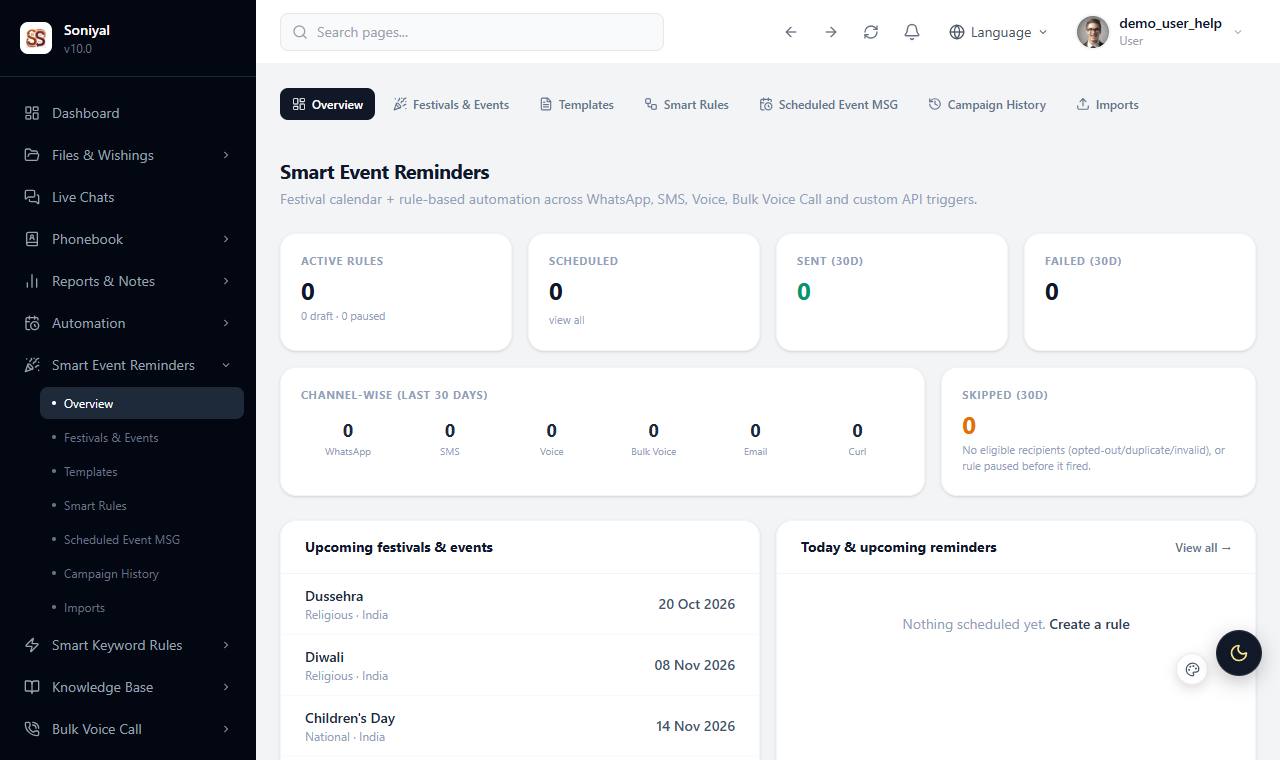
Open the Overview
Go to Smart Event Reminders → Overview to see active rules and upcoming festivals.
Check Festivals & Events
Add your own events or import a list; global festivals are already there.
Create a Template
Write the message once under Templates, with tags like {name}.
Create a Smart Rule
Choose the event, the audience (phonebook), the channel and the timing, e.g. 1 day before.
Review Scheduled Event MSG
See exactly what will be sent and when.
Check Campaign History
After sending, review results per channel.
Frequently asked questions
Which channels can it use?
WhatsApp, SMS, Voice, Bulk Voice Call, Email and cURL/webhook, depending on what your account has.