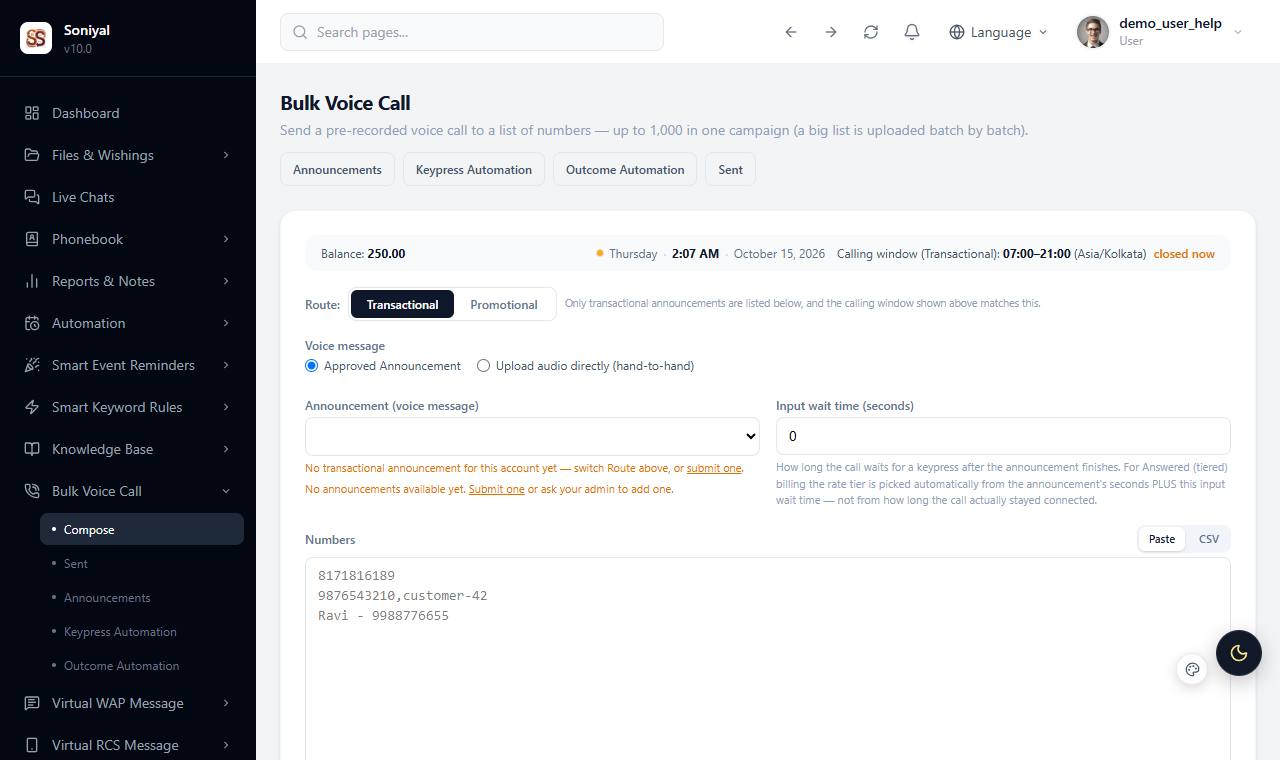
Call hundreds of people with a recorded announcement and react to the key they press.
Voice & SMS1 min readUpdated:
Bulk Voice Call plays an announcement to many numbers. Callers can press keys (for example 1 to confirm) and you can trigger actions from the key, then review outcomes in the report. Calls are billed per call duration bracket from your wallet.
When to use it
Event invitations, payment reminders, election or society announcements, delivery notices.
Example
A society plays “Water supply will be off tomorrow 10–2. Press 1 to confirm.” and sees which residents pressed 1.
Pro tips
Keep announcements short — under 30 seconds saves money.
Call during sensible hours only.
Step by step
Upload an announcement
Go to Bulk Voice Call → Announcements and add your audio.
Open Compose
Choose the announcement, paste or upload numbers and name the campaign.
Check the price
The cost is estimated before you submit and held from your wallet.
Send
Submit and watch the progress on the Sent page.
Set Keypress Automation
Under Keypress Automation decide what happens when a caller presses a key.
Review outcomes
Open the report to see answered, unanswered and pressed keys.
Frequently asked questions
How is it charged?
By call duration brackets; unanswered calls may be refunded partly per your account settings.
How many numbers per upload?
Large lists are accepted in batches; follow the limit shown on the page.